CONNECTED-DEVICE UX/UI
Klugit
Energy.Smart water-heating
mobile app design.
Everyday heating controls, consumption comparisons and guided device setup, connected through one mobile visual language.
Explore all 7 views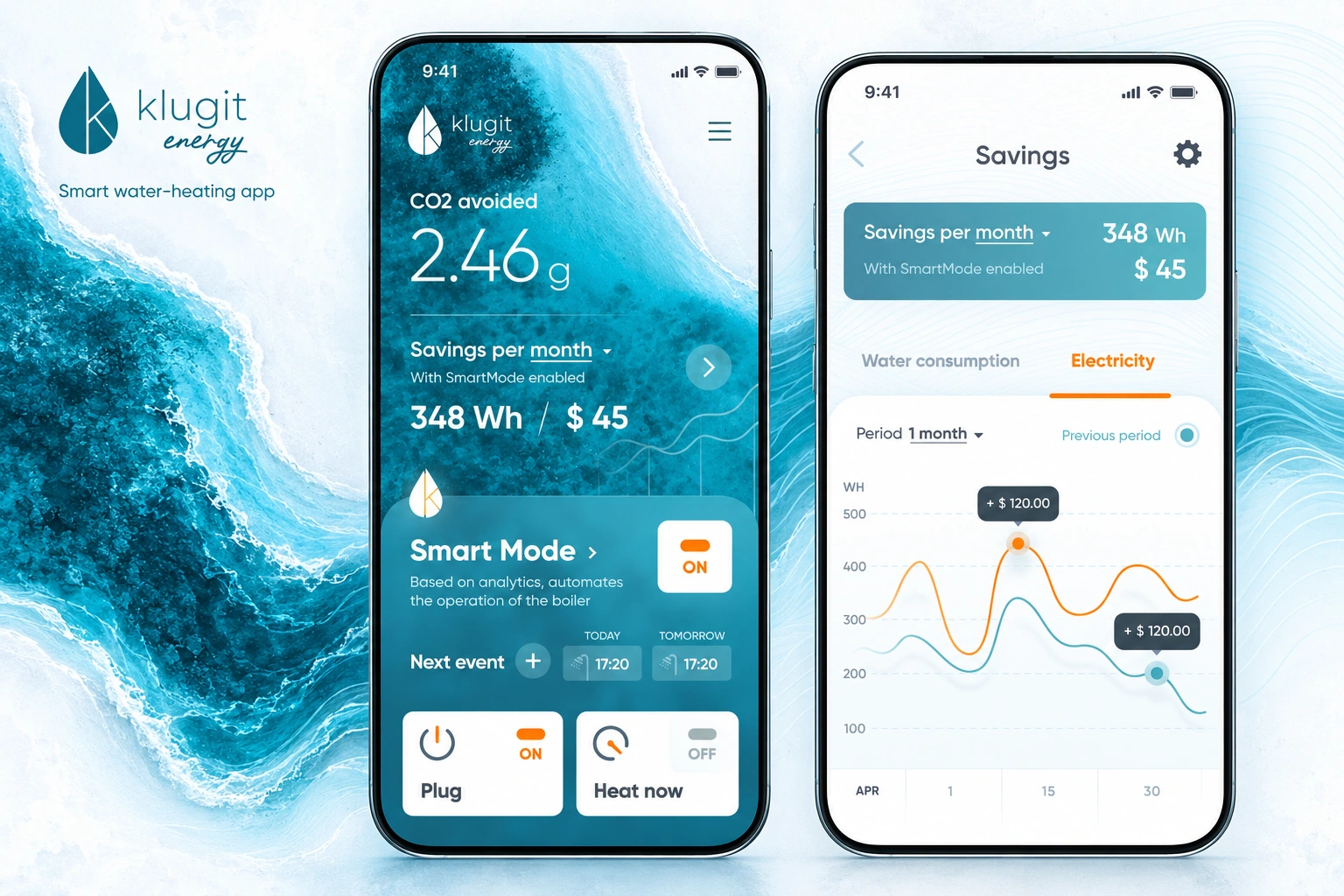
- Our scope
- Mobile app UX/UI
Control, setup & information hierarchy - The experience
- Smart Mode · consumption charts
Household setup · device pairing - Project contact
- Tung Chan
01 / MOBILE CONTROL INTERFACES
One home screen.
Three clear controls.
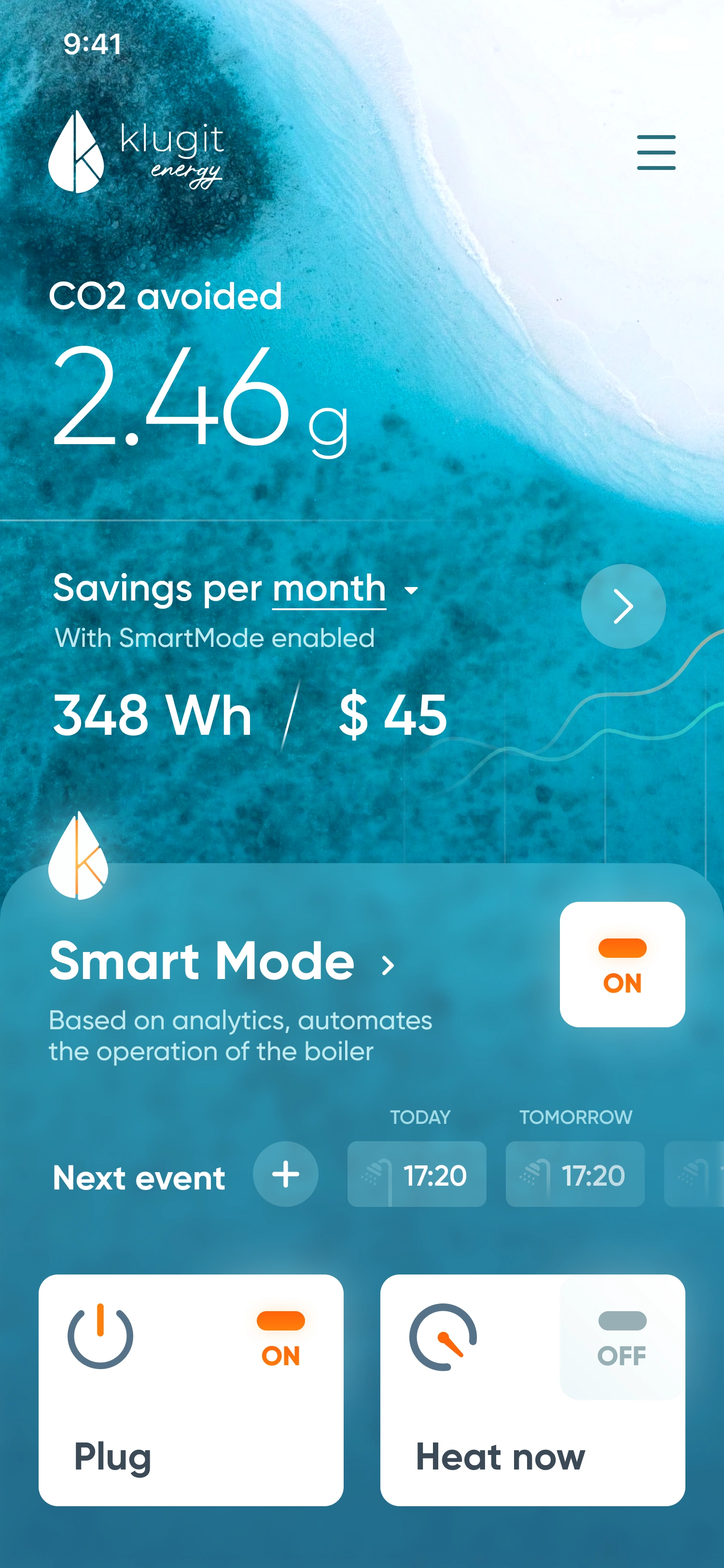
Smart Mode, device power and immediate heating sit together on the home screen. Each has a distinct visual area, with explicit on-off labels and orange highlights for active states. Upcoming events sit beside the control context rather than in a separate dashboard.
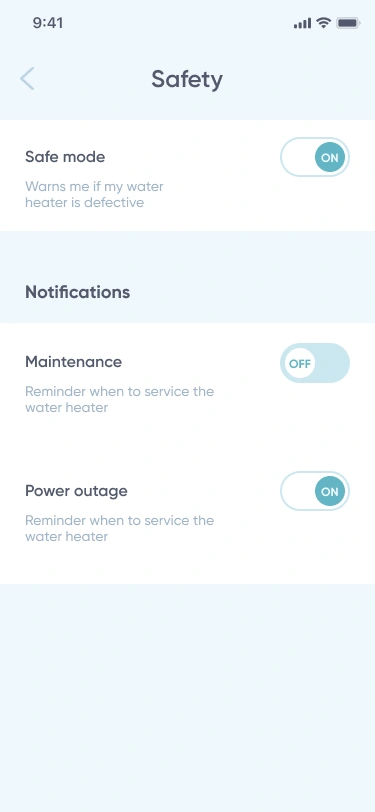
Ocean photography gives the opening its character. The safety area changes to a quieter, grouped list: short explanations, visible switch states and more space between notification preferences.
02 / CONSUMPTION-CHART UX/UI
A different view
for a different question.
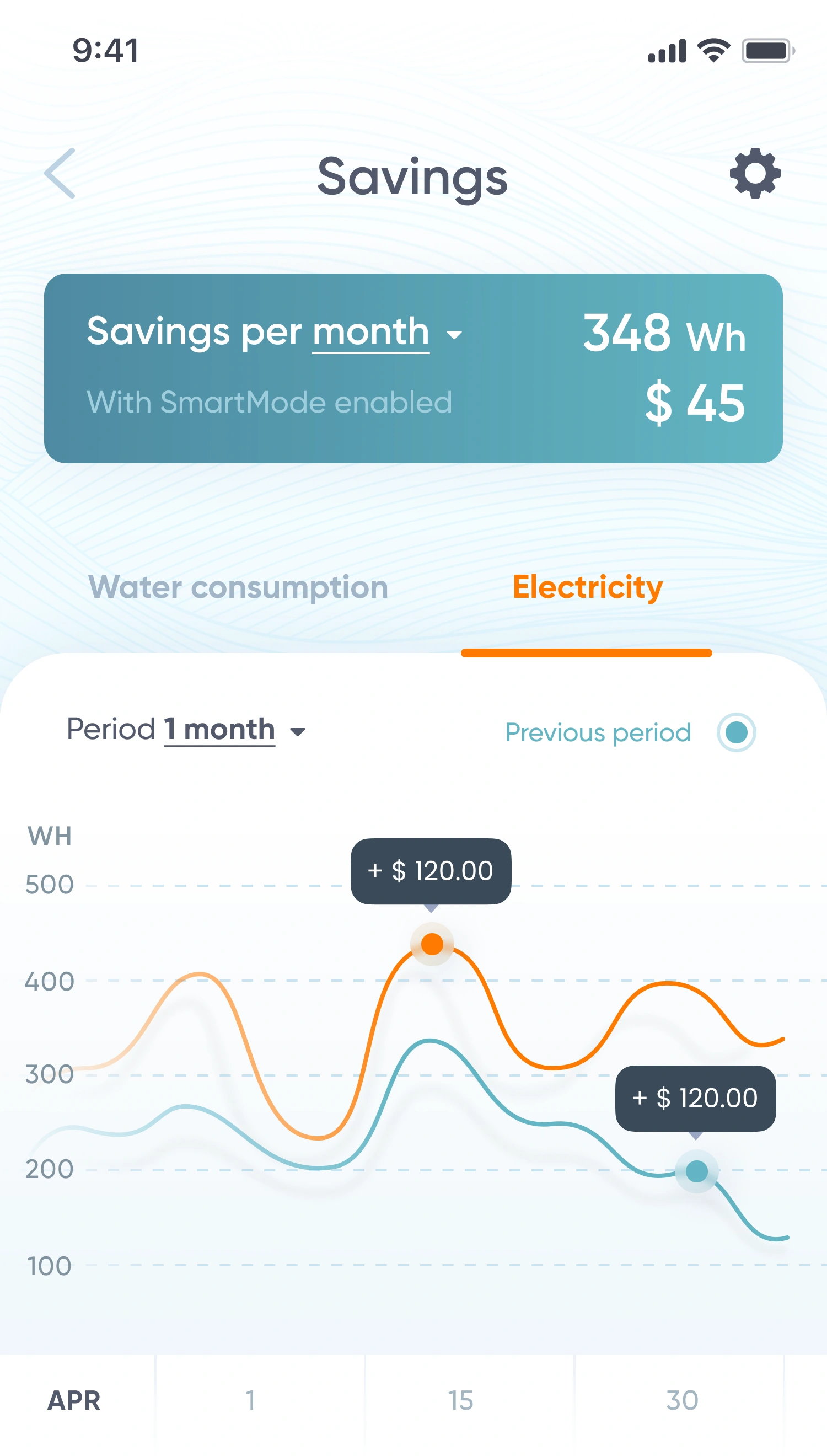
The consumption view separates reading a trend from operating the heater. Period selection and a previous-period control remain above the chart. Orange and turquoise lines distinguish the comparison, while contextual callouts identify individual points.
Pale contour lines connect this information-focused screen to the photographic home. The palette remains recognisable, but the white chart surface gives the data a clearer visual hierarchy.
Inspect the interface03 / ONBOARDING & DEVICE PAIRING
One question.
One next step.
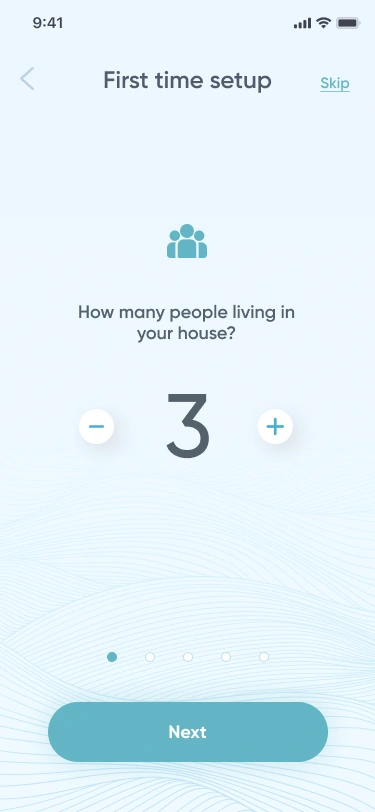
Household setup uses focused questions rather than a long form. A people count, a night-rate choice and a visible step indicator establish a consistent pattern, with one primary action at the bottom.
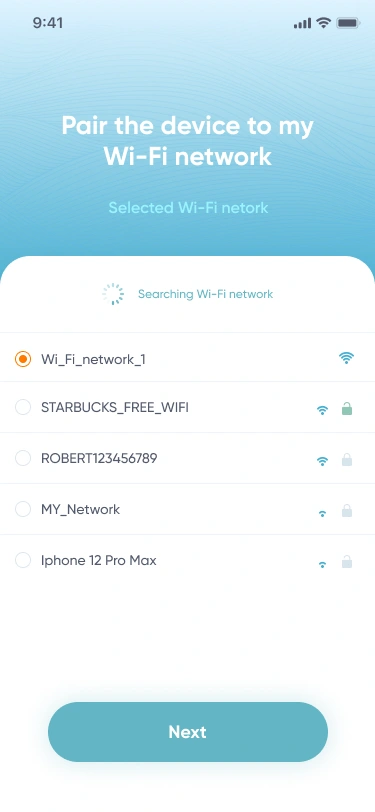
The Wi-Fi screen shifts from a question to network discovery. Available networks, security icons and a selected state sit in a dedicated list, while the next action stays in the same location.
EXPLORE THE DESIGN
Control, comparison and connected setup.
Seven mobile views across the home controls, electricity-chart comparison, household and tariff questions, Wi-Fi pairing, safety preferences and app navigation. Open a view for a closer look.
Home — Smart Mode, device power and immediate heating in one view
Choose a preview or use the arrows. Open a screen for the complete layout.
MOBILE APPS & CONNECTED PRODUCTS
A complex product.
A clearer interface.
Designing a mobile app or connected-device experience? Tell us what people need to control, understand and configure. We’ll suggest a scope and estimate.
Get a project estimateView the design in Figma