MOBILE APP UX/UI
Jackknife.Home management & guided repair app.
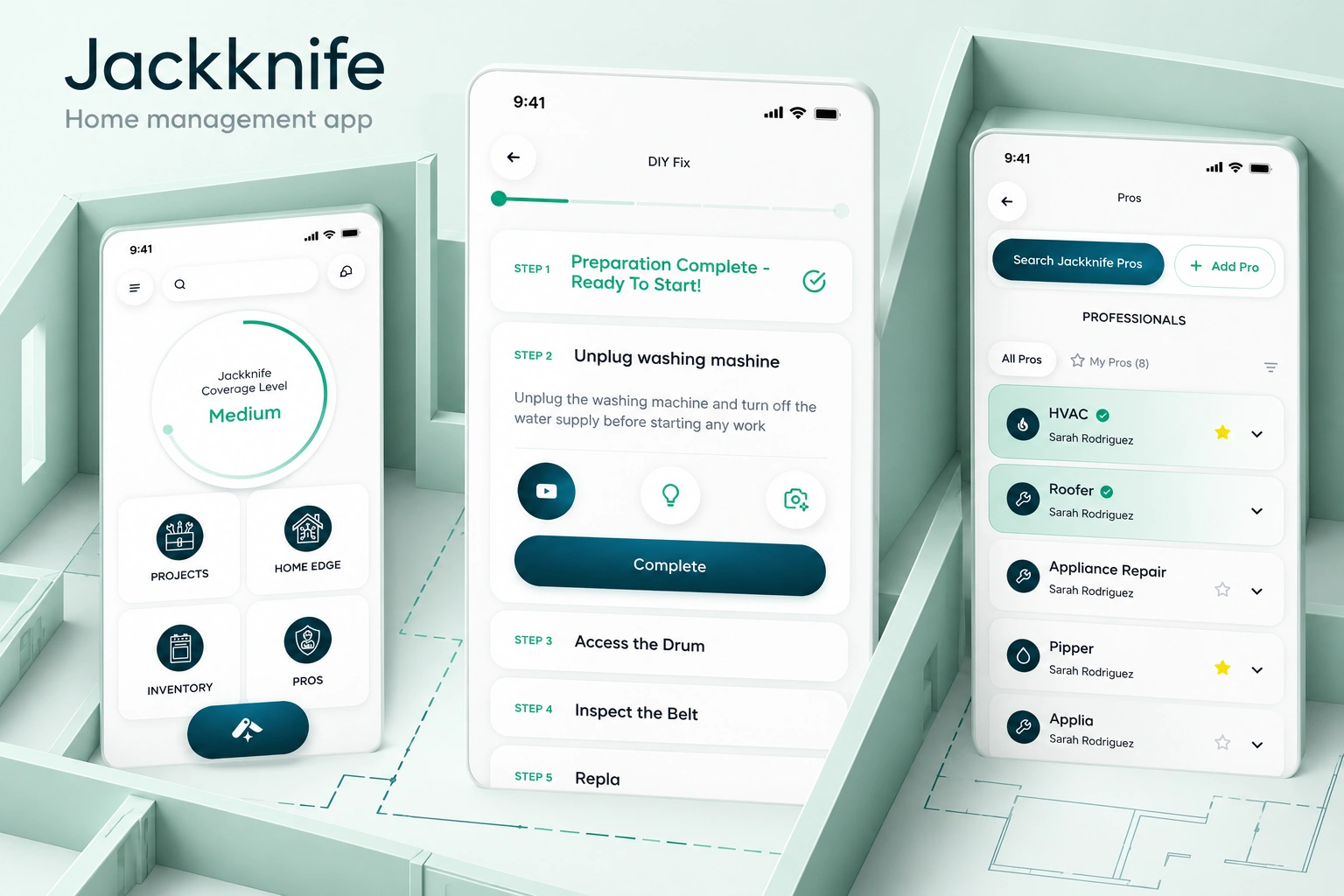
A home overview, a practical DIY journey and a separate space for service professionals. Different tasks, connected through one mobile interface.
- Our scope
- Mobile app UX/UI
Navigation & task-flow design - Key areas
- DIY preparation · step-by-step progress
Professional directory · service profiles - Project contact
- Tung Chan
01 / HOME-MANAGEMENT UX/UI
A starting point.
Not a wall of tasks.
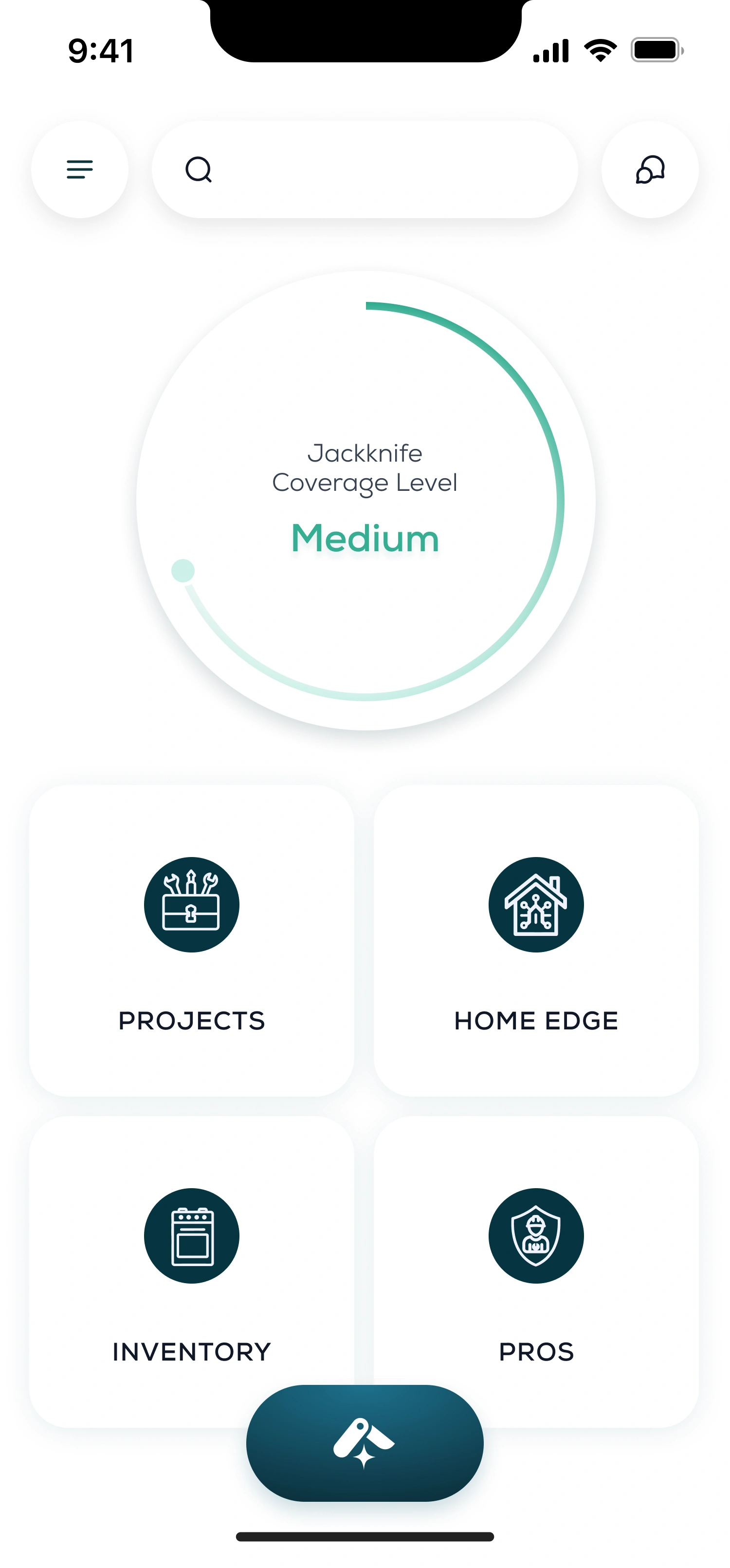
The home screen gives the coverage indicator its own space, followed by four distinct areas: Projects, Home Edge, Inventory and Pros. Each navigation tile pairs a label with a recognisable category icon.
Search and messages remain at the top. The central action is visually separate from the navigation grid, so it does not compete with the category labels. White surfaces and petrol-blue icons keep the opening quieter than the deeper task flows.
02 / GUIDED REPAIR FLOW
Prepare first.
Then one step at a time.
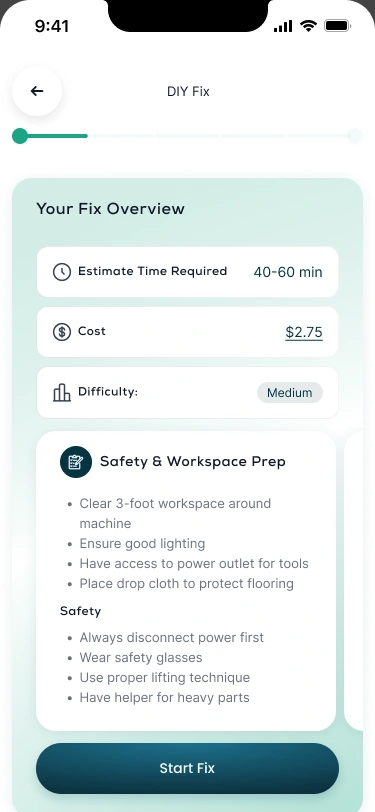
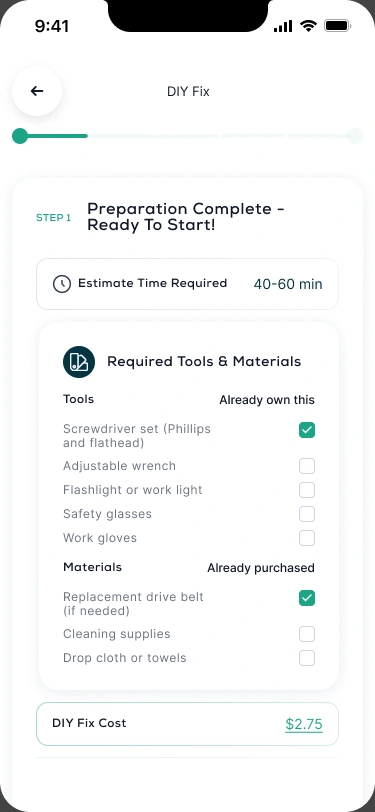
Time, cost and difficulty establish the task before the instructions begin. Workspace guidance and a tools checklist support preparation; the active repair step then expands while the rest of the sequence remains visible.
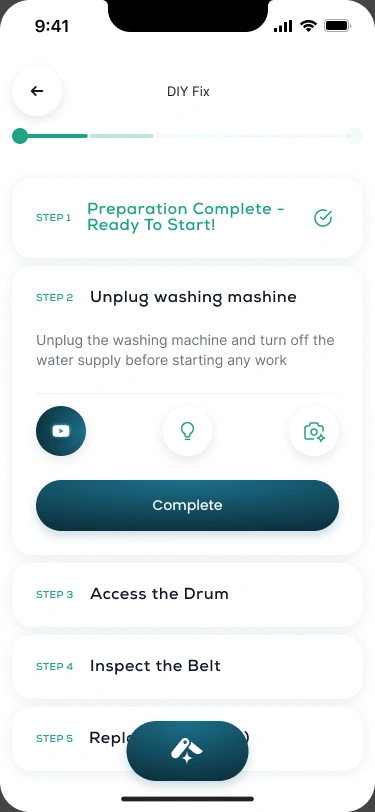
Completed rows turn mint green and gain a checkmark. The current task receives more space for an explanation, supporting controls and the main completion action. Upcoming tasks stay compact.
Compare the progress states03 / SERVICE-DIRECTORY UX/UI
A different route
to getting it done.
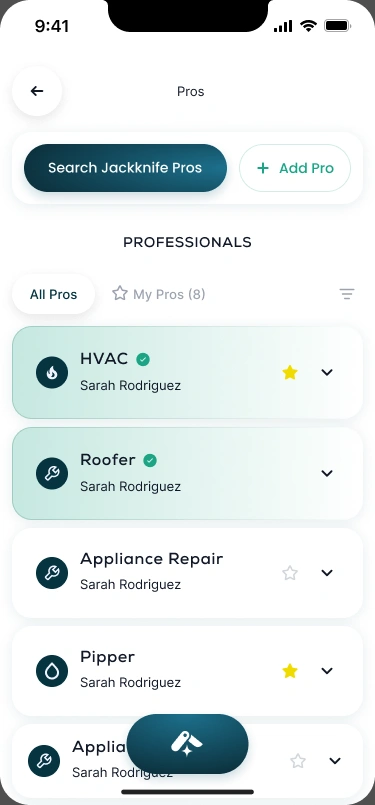
The Pros area separates professional discovery from the repair instructions. Search and add actions sit above the directory; speciality cards group service contacts, with favourites and a dedicated My Pros view.
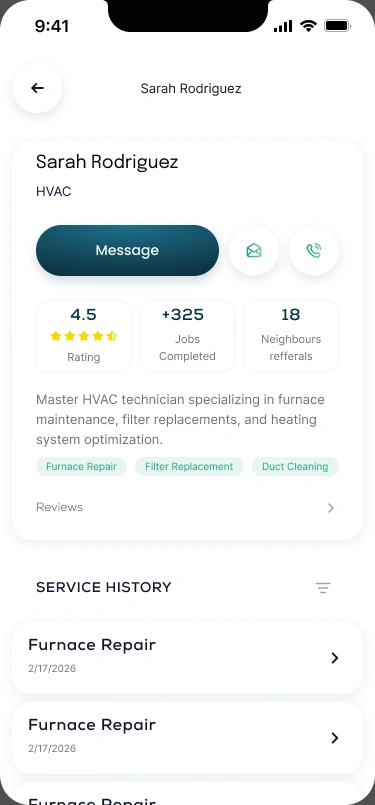
A professional profile brings messaging, email and phone actions together. Expertise and service history occupy separate areas below, moving from discovery into the details of an individual contact without changing the visual language.
EXPLORE THE DESIGN
From the home overview to the next action.
Seven original mobile views across home navigation, repair preparation, tools and materials, active and completed instructions, professional discovery and service profiles. Open any view to inspect it.
Home — the coverage indicator and four clear navigation areas
Choose a preview or use the arrows. Open a screen for the complete layout.
MOBILE APPS & SERVICE PLATFORMS
Many tasks.
A clearer next step.
Designing an app that connects guidance, tasks and service providers? Tell us what people need to do. We’ll suggest a scope and estimate.
Get a project estimateView the design in Figma