MOBILE FINTECH UX/UI DESIGN
Loyal-T.Escrow & transaction
management app design.
A clear view of the balance, the people and the next action. Mobile UX/UI connecting transaction states, provider profiles and conversation lists.
Explore all 8 screens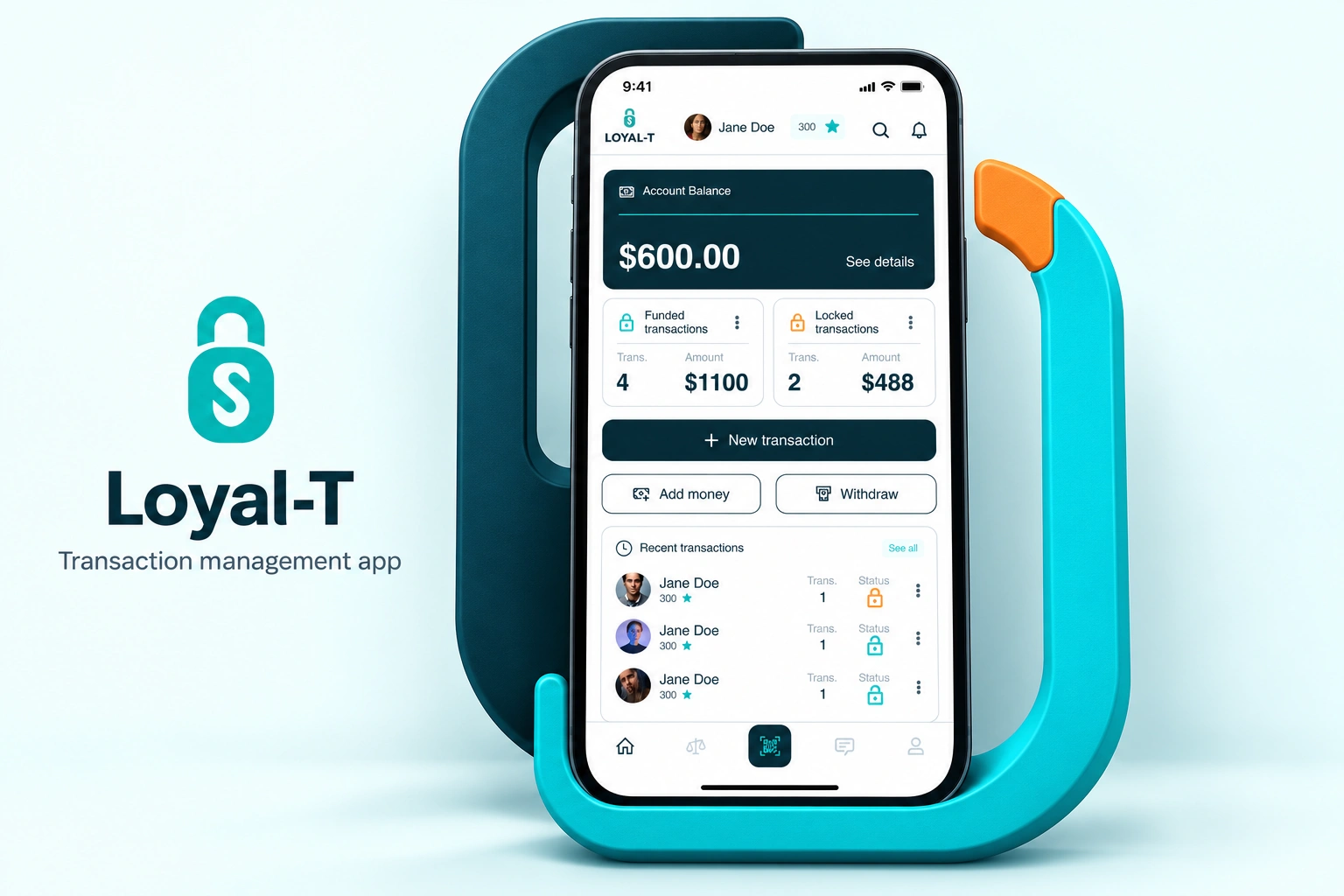
- Our scope
- Mobile app UX/UI
Transaction flows & state design - The experience
- Balance · funded & locked transactions
Provider profiles · search · conversations - Project contact
- Olga Bezkrovna
01 / ACCOUNT OVERVIEW UX/UI
More than
a single total.
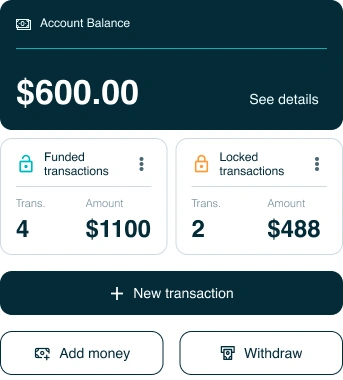
The dark balance panel leads the home screen. Funded and locked transactions sit below as separate summaries, each with a count, amount and recognisable status icon.
A full-width New transaction action establishes the main route. Add money and Withdraw share a quieter secondary row, while recent activity stays in its own panel rather than competing with the balance.
02 / TRANSACTION REVIEW & STATUS DESIGN
The same transaction.
A different next action.
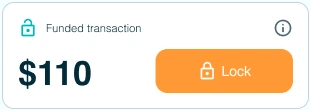
The review keeps the participant, invoice and amount together. A labelled status and a distinct action colour explain what can happen next without changing the whole page.
FUNDED / LOCK ACTION
LOCKED / UNLOCK ACTION
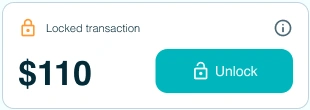
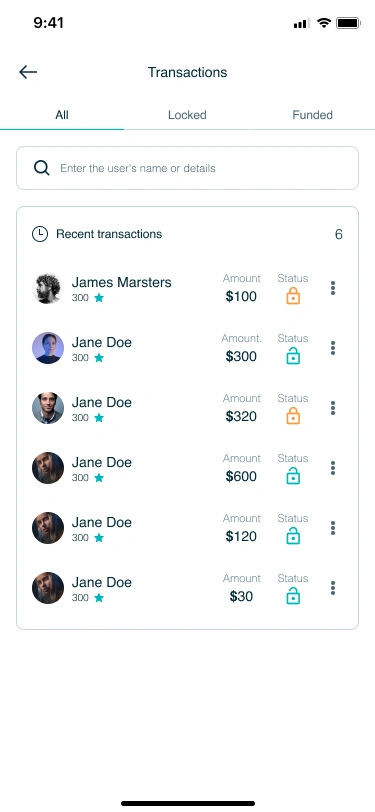
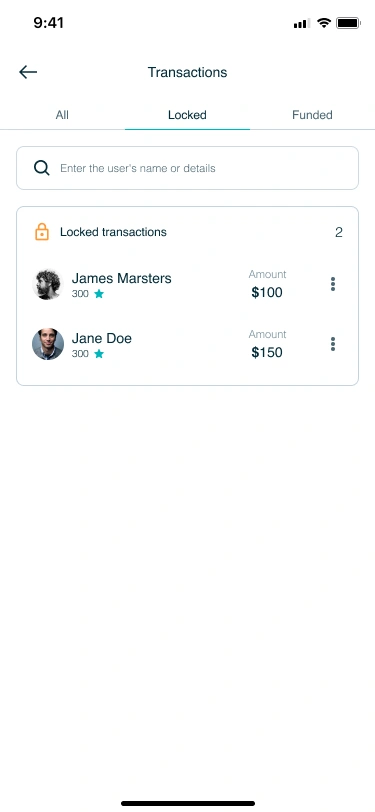
Orange identifies the Lock action; cyan identifies Unlock. The transaction list uses the same status symbols, with All, Locked and Funded tabs for a narrower view of activity.
03 / PEOPLE, SERVICES & CONVERSATIONS
Keep the person
beside the numbers.
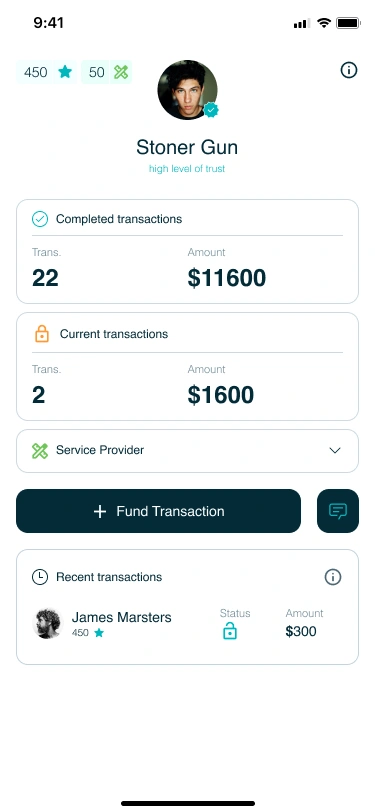
The provider profile separates completed and current transactions, then brings the funding and chat actions into one row. Recent activity remains connected to the participant instead of becoming an anonymous ledger.
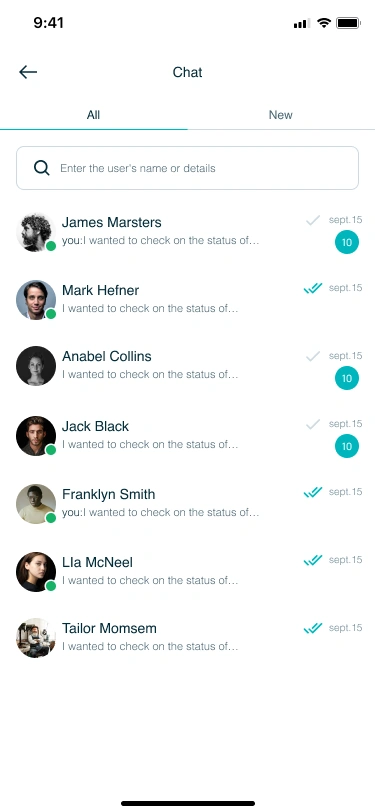
Service search groups results under their category, while the conversation list pairs avatars and names with previews and unread counts. These views connect people and transaction context without overloading the account overview.
EXPLORE THE DESIGN
One journey through balances, states and people.
Eight mobile screens across the account overview, transaction lists, funded and locked review states, provider profile, service search and conversations. Open a screen to inspect the complete layout.
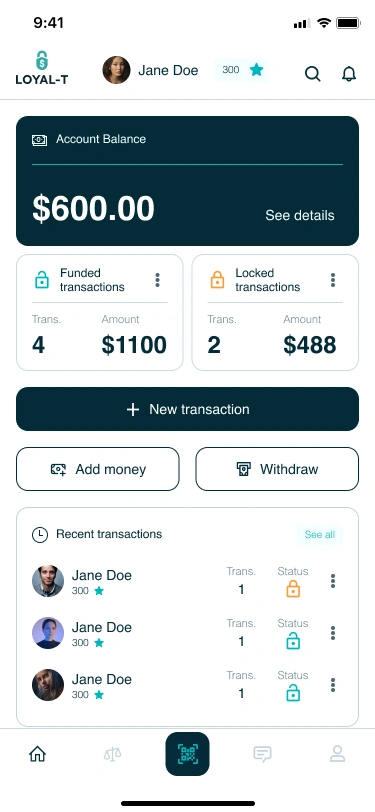
Account overview — balance, funded and locked summaries and recent activity
Choose a preview or use the arrows. Open a screen for the complete layout.
FINTECH & TRANSACTION-LED PRODUCTS
Complex states.
Clearer interfaces.
Designing a financial app or a transaction-led product? Tell us which decisions and states the interface needs to explain. We’ll suggest a scope and estimate.
Get a project estimateView the design in Figma